Which Office Surfaces Need Regular Disinfection?
High-touch office surfaces are frequently used objects and shared areas that employees, visitors, and customers regularly touch throughout the workday. These include door handles, keyboards, desks, light switches, phones, elevator buttons, and shared equipment. Regular cleaning and appropriate disinfection help reduce the spread of germs, support workplace hygiene, and create a healthier environment for everyone.
Why High-Touch Office Surfaces Matter for Workplace Hygiene
An office may look clean while still containing surfaces that collect germs through frequent daily contact. Employees touch shared equipment, move between workstations, open doors, use meeting rooms, and handle common office supplies. Each interaction creates opportunities for microorganisms to transfer from hands to surfaces and from surfaces to other hands.
High-touch office surfaces deserve particular attention because they are handled repeatedly by different people. Unlike floors or decorative areas, these surfaces can become contaminated throughout the day, especially in busy workplaces with shared facilities.
Viruses and bacteria can survive on certain surfaces for varying periods depending on the microorganism, material, temperature, humidity, and environmental conditions. Although touching a contaminated surface does not automatically cause infection, transferring germs from hands to the eyes, nose, or mouth can create a potential route of transmission.
Regular office disinfection is therefore an important part of a broader workplace hygiene strategy. Combined with proper handwashing, routine cleaning, ventilation, and appropriate sick leave practices, it helps businesses maintain cleaner and more comfortable working environments.
15 High-Touch Office Surfaces That Need Regular Disinfection
1. Door Handles and Door Knobs
Door handles and door knobs are among the most frequently touched surfaces in any workplace. Employees, visitors, delivery personnel, and customers use them throughout the day, often without thinking about how many people have touched the same area.
Because these surfaces experience repeated contact, they can accumulate dirt, oils, and microorganisms from hands. Main entrances, meeting room doors, restroom handles, and shared office doors deserve particular attention.
Regular cleaning followed by suitable disinfection can help maintain better hygiene. Businesses should pay attention to both sides of frequently used doors, including handles, push plates, and surrounding contact areas.
2. Computer Keyboards
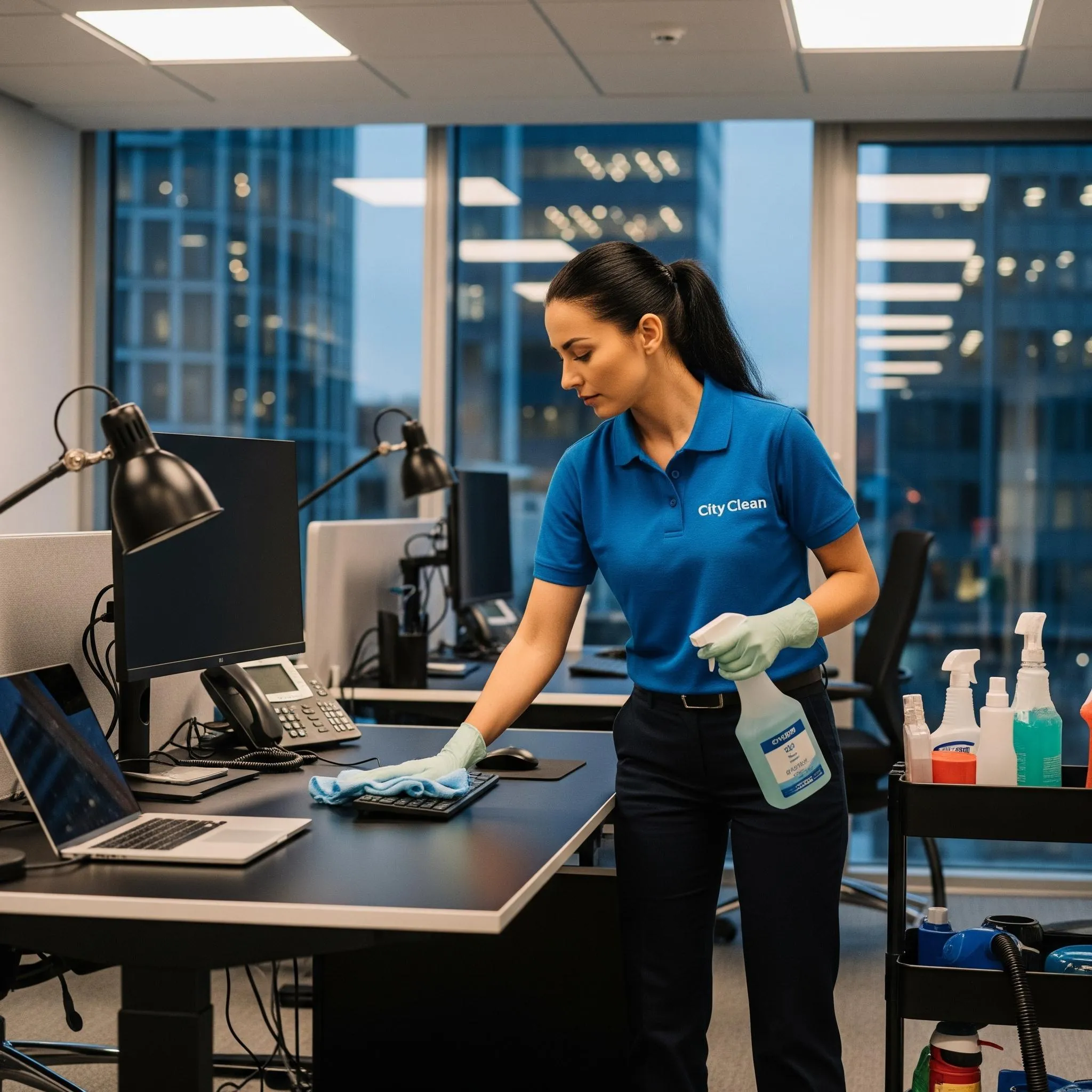
Computer keyboards are used continuously by employees and can collect skin oils, food particles, dust, and other contaminants between the keys. Shared keyboards present additional hygiene concerns because multiple employees may use the same equipment.
Keyboards can be particularly difficult to clean because of their small spaces and electronic components. Employees should follow manufacturer instructions, disconnect equipment when appropriate, and use cleaning products suitable for electronic devices.
Workstations used by different employees should receive additional attention. Regular cleaning and appropriate disinfection help reduce the buildup of contaminants and support a cleaner working environment.
3. Computer Mice and Trackpads
Computer mice and trackpads receive frequent contact from employees throughout the working day. Hands naturally transfer oils, sweat, dirt, and microorganisms to these devices.
Shared computers in reception areas, training rooms, libraries, and meeting spaces may require more frequent attention because different people use the same equipment.
Cleaning should include the mouse buttons, scroll wheel, sides, and commonly touched areas. Suitable electronic-safe disinfecting products should be used according to manufacturer guidance to avoid damaging the equipment.
4. Office Desks and Workstation Surfaces
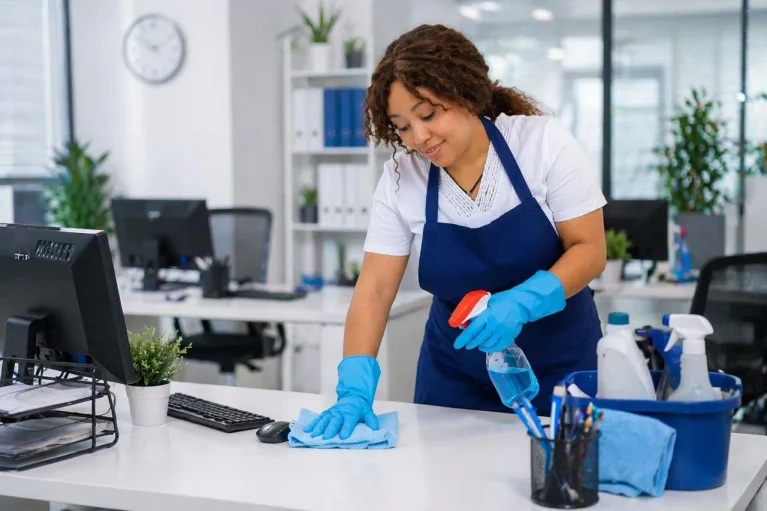
Office desks are used for writing, working on computers, eating snacks, organizing documents, and handling personal belongings. These activities introduce different types of contaminants to the workspace.
Although employees may have assigned desks, the surfaces still require regular cleaning. Shared workstations and flexible office spaces need particular attention because several employees may use the same desk during different shifts.
Disinfecting appropriate desk surfaces after cleaning helps maintain workplace hygiene. Employees should also avoid eating directly over computer equipment and should keep their work areas organized to make cleaning easier.
5. Light Switches and Electrical Controls
Light switches are small surfaces that are frequently overlooked during office cleaning. Employees touch them when entering rooms, leaving offices, switching between work areas, and using shared facilities.
Although these surfaces may appear clean, repeated hand contact can transfer microorganisms and dirt.
Cleaning teams should include accessible light switches and frequently handled electrical controls in their routine cleaning schedules. Care is necessary around electrical components, and cleaning methods should avoid excessive moisture or direct spraying.
6. Elevator Buttons
Elevator buttons are shared by employees, visitors, contractors, and delivery personnel. In multi-storey commercial buildings, hundreds of people may use the same elevator controls during a busy working day.
The repeated contact makes elevator buttons an important consideration in commercial building hygiene.
Cleaning should cover commonly pressed floor buttons, door controls, and accessible control panels. Appropriate products should be applied carefully to prevent liquid from entering electronic components.
7. Shared Office Phones and Headsets
Office phones and headsets come into direct contact with employees’ hands and, in some cases, their faces. Microphones, earpieces, buttons, and touch controls can collect oils, moisture, and other contaminants.
Shared reception phones, customer service headsets, and conference room telephone equipment deserve particular attention because they may be handled by multiple people.
Cleaning teams should use products compatible with electronic equipment and avoid applying disinfectants directly to delicate components. Headsets should ideally be assigned to individual employees when practical.
8. Printer and Photocopier Control Panels
Printers and photocopiers are common shared resources in many workplaces. Employees regularly press touchscreen displays, physical buttons, paper tray handles, and control panels.
These devices can receive frequent contact from people throughout the office, making them important surfaces to include in a disinfection routine.
Cleaning should focus on accessible touchscreens, buttons, handles, and commonly used controls. Businesses should follow equipment manufacturer instructions to protect sensitive screens and electronic components.
9. Conference Room Tables
Conference room tables are used for meetings, presentations, interviews, training sessions, and collaborative activities. Different employees and visitors may use the same table several times throughout the day.
People frequently place laptops, notebooks, phones, documents, and refreshments on these surfaces. This creates opportunities for dirt and microorganisms to transfer between personal belongings and shared furniture.
Tables should be cleaned between meetings when practical, particularly when the room is used by different groups. Appropriate disinfection after cleaning can help maintain a hygienic shared meeting environment.
10. Restroom Door Handles and Faucets
Restrooms require particular attention because they contain frequently touched surfaces used by many people. Door handles, faucet controls, toilet flush handles, and accessible sink fixtures can become contaminated through repeated contact.
Restroom hygiene should never be limited to cleaning visible dirt. Frequently touched fixtures need appropriate cleaning and disinfection as part of a consistent maintenance routine.
Cleaning teams should follow a documented restroom cleaning schedule, use suitable products, and pay attention to the areas around sinks and other shared fixtures.
11. Refrigerator Handles and Microwave Buttons
Office kitchens and break rooms are shared spaces where employees prepare food, store refreshments, and take breaks. Refrigerator handles, microwave buttons, cabinet handles, and appliance controls receive repeated contact throughout the day.
These areas can collect food residue, grease, and microorganisms from hands, especially when employees handle food and shared appliances without cleaning their hands.
Regular cleaning is essential, particularly for food preparation and contact areas. Appropriate disinfection should be used on compatible surfaces, while food-contact surfaces must be handled according to product label instructions.
12. Water Dispenser Controls
Water dispensers are used by employees throughout the day, making their buttons, levers, taps, and dispensing controls common high-touch areas.
The surrounding surfaces may also collect water droplets, fingerprints, and residue. Without consistent maintenance, these areas can become unhygienic.
Cleaning teams should regularly clean the dispenser exterior and disinfect compatible touchpoints according to manufacturer recommendations. Drinking water outlets and components that contact water require appropriate sanitation procedures rather than simply applying a general surface disinfectant.
13. Reception Counters and Visitor Check-In Areas
Reception areas are often the first point of contact for customers, visitors, delivery personnel, and business partners. Counters, pens, visitor sign-in devices, access controls, and frequently handled surfaces may be touched by many different people.
Because reception areas represent the business, their cleanliness also influences visitors’ first impressions.
Regular cleaning and disinfection of suitable touchpoints can help create a more professional and welcoming environment. Businesses should pay attention to shared pens, touchscreens, counter edges, and other frequently handled items.
14. Handrails and Staircase Railings
Staircase handrails and accessible support rails are frequently touched by employees moving between different areas of a building. They are especially important in commercial properties with multiple floors and high daily foot traffic.
People naturally hold handrails for balance and support, transferring microorganisms from their hands onto the surface.
Regular cleaning and appropriate disinfection help maintain these shared contact areas. Cleaning teams should include staircase railings, accessible support bars, and commonly used corridor handrails in their schedules.
15. Shared Office Equipment and Supply Handles
Office equipment such as staplers, filing cabinet handles, shared stationery containers, storage drawers, and equipment handles can receive repeated contact throughout the day.
These objects may seem less important than door handles or keyboards, but their frequent use makes them relevant to workplace hygiene.
Businesses should identify which shared items receive the most contact and include compatible surfaces in their regular cleaning routines. Keeping shared supplies organized also makes it easier for cleaning staff to reach and maintain these areas.
How Often Should High-Touch Office Surfaces Be Disinfected?
The appropriate disinfection frequency depends on how many people use a surface, how frequently it is touched, the type of workplace, and the level of contamination.
High-traffic surfaces such as entrance door handles, elevator buttons, restroom fixtures, and shared reception equipment may need attention multiple times throughout the working day. Shared desks, conference room tables, keyboards, and kitchen touchpoints should be cleaned according to their use and workplace hygiene requirements.
Lower-traffic office surfaces may only require routine cleaning and disinfection when appropriate. Businesses should avoid treating every surface as if it carries the same level of risk.
A practical cleaning schedule should identify frequently touched areas, assign responsibilities, establish cleaning frequencies, and provide a method for recording completed tasks. Workplaces should also review schedules when employee numbers, building usage, or operating conditions change.
Cleaning vs. Disinfection: Understanding the Difference
Cleaning and disinfection are related processes, but they are not the same.
Cleaning removes dirt, dust, grease, food residue, and many microorganisms from surfaces. It generally involves water, detergent, and physical wiping or scrubbing.
Disinfection uses appropriate chemical products to inactivate or destroy specified microorganisms on suitable surfaces. It is particularly useful for frequently touched areas where reducing the presence of infectious microorganisms is important.
Cleaning should generally take place before disinfection when a surface is visibly dirty because organic material and soil can interfere with the effectiveness of some disinfectants.
The disinfectant must also remain visibly wet on the surface for the contact time specified on its label. Wiping it away too early may prevent the product from achieving its intended effectiveness.
Understanding this difference helps businesses avoid the common mistake of assuming that a surface is disinfected simply because it has been wiped.
Why Professional Office Disinfection Is Important
Maintaining office hygiene requires more than occasional wiping and general housekeeping. Commercial workplaces contain numerous shared surfaces, different materials, electronic equipment, and high-traffic areas that require appropriate cleaning methods.
Professional office cleaning helps businesses establish consistent routines and ensure frequently touched surfaces receive proper attention.
Trained cleaning personnel understand the importance of using suitable products, following manufacturer instructions, respecting contact times, and avoiding damage to sensitive equipment.
A structured cleaning programme can also help businesses maintain more consistent hygiene standards across reception areas, workstations, meeting rooms, kitchens, restrooms, and common facilities.
Beyond cleanliness, a well-maintained office supports employee confidence and creates a more welcoming environment for customers and visitors.
Common Office Disinfection Mistakes Businesses Should Avoid
One common mistake is focusing only on visible dirt. A desk may look clean while frequently touched areas such as drawer handles, keyboards, and light switches receive little attention. Cleaning schedules should consider how often surfaces are handled, not simply how dirty they appear.
Another mistake is using the same cleaning cloth across different areas without appropriate laundering or replacement. This can transfer contaminants from one surface to another. Cleaning materials should be managed properly, with suitable cloths and equipment allocated to different areas.
Using excessive disinfectant is another problem. More product does not automatically mean better disinfection. Incorrect application can leave residue, damage surfaces, and create unnecessary exposure to cleaning chemicals.
Businesses should also avoid ignoring product contact times. Disinfectants need to remain wet for the duration specified by the manufacturer. Quickly spraying and wiping a surface may not provide the intended result.
Finally, neglecting shared equipment can undermine an otherwise good cleaning programme. Printers, phones, refrigerator handles, water dispensers, and meeting room controls should not be forgotten simply because they are not part of the usual workstation cleaning routine.
Common Myths About Office Surface Disinfection
Myth: If an Office Looks Clean, It Is Hygienic
A visually clean office is not necessarily free from microorganisms. Many contaminants are invisible, and frequently touched surfaces can receive repeated contact even when they appear spotless. Regular cleaning and appropriate disinfection are important parts of maintaining workplace hygiene.
Myth: Disinfecting Every Surface Once a Day Is Enough
There is no single disinfection frequency that works for every workplace. A shared elevator button in a busy commercial building receives much more contact than a rarely used storage cabinet. Cleaning frequency should reflect actual usage, contamination levels, and workplace requirements.
Myth: Spraying More Disinfectant Makes Surfaces Safer
Using excessive disinfectant does not guarantee better results. Correct product selection, application instructions, surface compatibility, and contact time are more important than the amount applied.
Myth: Employees Are Responsible for All Office Disinfection
Employees can help maintain cleanliness by practicing good hand hygiene, keeping workstations organized, and cleaning personal equipment appropriately. However, businesses should establish clear responsibilities and provide a consistent cleaning programme for shared facilities and high-touch surfaces.
How to Create an Effective High-Touch Office Cleaning Programme
An effective office cleaning programme begins with identifying the surfaces that receive the most contact. Businesses should assess entrances, shared workstations, meeting rooms, kitchens, restrooms, reception areas, and common equipment.
Once these areas are identified, cleaning teams can establish appropriate schedules based on traffic levels and workplace activities. High-contact areas may require more frequent attention, while other surfaces can follow routine maintenance schedules.
The next step is selecting appropriate cleaning and disinfecting products. Products must be suitable for the surface material and used according to their labels. Electronic equipment, food-contact surfaces, and delicate materials may require different methods.
Staff training is equally important. Cleaning personnel should understand the difference between cleaning and disinfection, correct chemical handling, required contact times, and safe equipment practices.
Finally, businesses should monitor cleaning activities through documented schedules and regular inspections. This helps identify missed areas, maintain consistency, and improve the cleaning programme when workplace requirements change.
Summary: Keeping High-Touch Office Surfaces Clean and Hygienic
High-touch office surfaces include door handles, keyboards, computer mice, desks, light switches, elevator buttons, shared phones, printers, conference tables, restroom fixtures, kitchen appliances, water dispensers, reception counters, handrails, and shared office equipment. These areas deserve regular attention because employees and visitors touch them repeatedly throughout the day.
Effective workplace disinfection involves identifying frequently used surfaces, cleaning away visible dirt, applying suitable disinfectants, and following the required contact times. A consistent cleaning schedule supported by trained personnel helps businesses maintain better hygiene standards and reduce opportunities for microorganism transmission.
Key Takeaways for Better Office Hygiene
Maintaining clean high-touch office surfaces is an essential part of creating a healthier and more professional workplace. Businesses should prioritize frequently handled areas rather than relying exclusively on general cleaning or visible appearance.
Regular disinfection should be supported by proper cleaning methods, appropriate products, employee hygiene practices, and consistent monitoring. Every workplace has different cleaning requirements, so schedules should reflect the building’s layout, daily occupancy, and shared equipment usage.
Investing in a structured office cleaning programme demonstrates a commitment to employee well-being, visitor confidence, and the long-term maintenance of commercial facilities.
Frequently Asked Questions About High-Touch Office Surfaces
1. What Are the Most Common High-Touch Surfaces in an Office?
The most common high-touch office surfaces include door handles, keyboards, computer mice, desks, light switches, elevator buttons, shared phones, printer controls, restroom fixtures, and kitchen appliance handles. These areas receive frequent contact from employees and visitors, making them important parts of a workplace cleaning programme.
2. How Often Should Office Surfaces Be Disinfected?
Disinfection frequency depends on surface usage, employee numbers, contamination levels, and workplace conditions. High-traffic areas may require multiple cleaning and disinfection sessions throughout the day, while less frequently used surfaces can follow a regular maintenance schedule. Businesses should assess their specific workplace requirements.
3. Is Cleaning the Same as Disinfecting?
No. Cleaning removes dirt, debris, and many microorganisms from surfaces, while disinfection uses suitable chemical products to inactivate or destroy specified microorganisms. Cleaning is generally performed before disinfection when surfaces are visibly dirty.
4. Which Office Areas Require the Most Cleaning Attention?
Entrances, reception areas, shared workstations, restrooms, meeting rooms, kitchens, and elevators typically require particular attention because they contain frequently touched surfaces. Businesses should also consider shared equipment such as phones, printers, keyboards, and water dispensers.
5. Can Regular Office Disinfection Help Reduce Employee Illness?
Regular and appropriate disinfection can reduce microorganisms on suitable surfaces and help limit opportunities for contact-based transmission. However, it cannot prevent every infection. Good hand hygiene, adequate ventilation, respiratory hygiene, and other workplace health practices remain important.
6. What Is the Difference Between Office Cleaning and Commercial Disinfection?
Office cleaning focuses on maintaining cleanliness by removing dust, dirt, stains, and everyday waste. Commercial disinfection specifically targets microorganisms on appropriate surfaces using suitable products and application methods. A complete workplace hygiene programme combines both processes based on the needs of the facility.
7. Why Should Businesses Hire Professional Office Cleaning Services?
Professional office cleaning services help businesses maintain consistent cleaning schedules, address frequently touched surfaces, use appropriate cleaning methods, and maintain shared workplace facilities. Trained cleaning personnel can also help identify overlooked areas and support a more organized approach to commercial hygiene.
Conclusion: Create a Cleaner and Healthier Office Environment
A clean office is more than a reflection of professional standards. It is an important part of creating a workplace where employees feel comfortable, visitors feel welcome, and daily operations can continue in a well-maintained environment.
High-touch office surfaces require particular attention because they are used repeatedly by different people throughout the day. From door handles and keyboards to conference tables, restroom fixtures, and shared equipment, every frequently handled area deserves an appropriate cleaning routine.
For businesses that want to maintain consistent workplace hygiene, investing in professional office cleaning and regular disinfection is a practical step toward better facility maintenance.
CleanPro helps businesses maintain cleaner, more professional commercial environments through dependable cleaning solutions tailored to their workplace needs. Contact CleanPro today to discuss your commercial cleaning requirements and create a cleaner, healthier workspace for your employees and visitors.